.png?width=1440&height=202&name=Logo_Color%20(1).png)
Updating an existing certificate can be completed by using the Regenerate option when saving the fields within the Registry Detail.
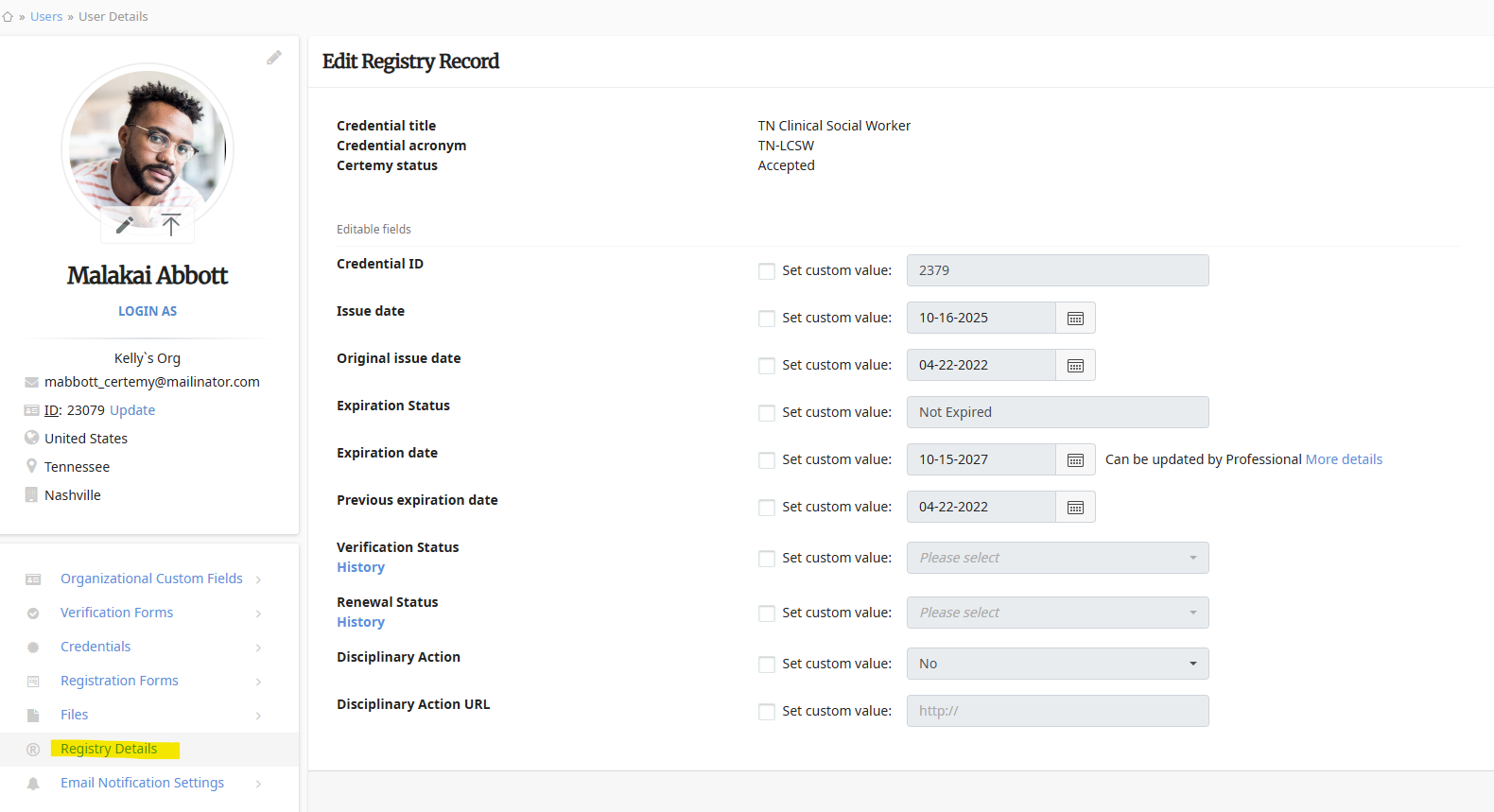
For example, the user below had a name change or a date had to be updated. You can go into the user, make the necessary changes (ie Name change) and click on Registry Details (left side menu, under picture).
Open one of the fields (used or not) by clicking the checkbox and update the field value --> hit Save --> DO NOT hit Regenerate on the pop.
Now, go back into the field value you updated by clicking the checkbox and set it back to the original value --> hit Save --> click on Regenerate.
Go into the user Files (bottom left, under picture) and open the applicable Certificate. You should now see the changes made from the Registry record.