.png?width=1440&height=202&name=Logo_Color%20(1).png)
Adjusting User Profile
1. Navigate to Settings (1) → Users (2) → Left side, search box (3), search user.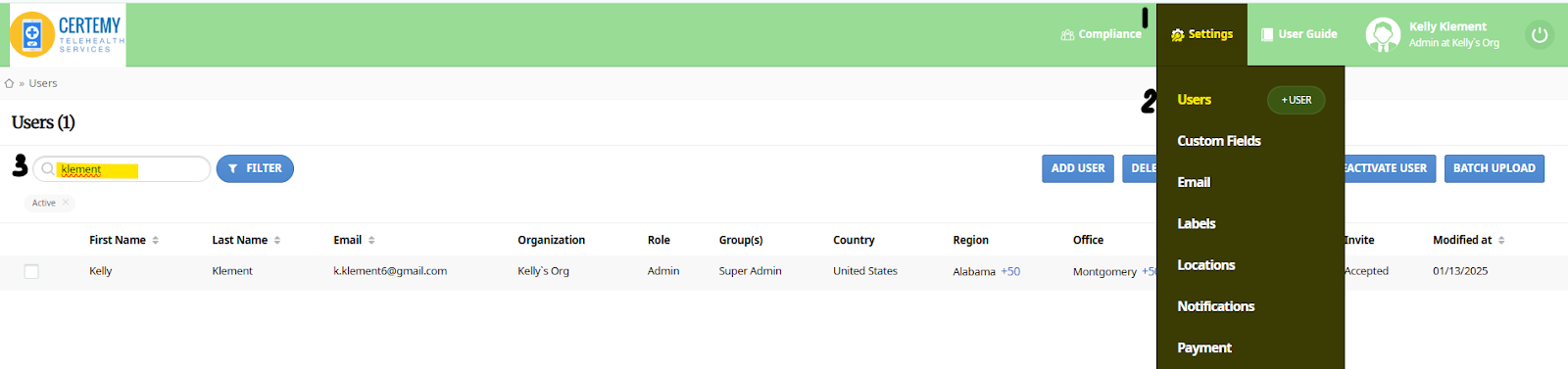
3. Click on the Pencil (top left, above picture)
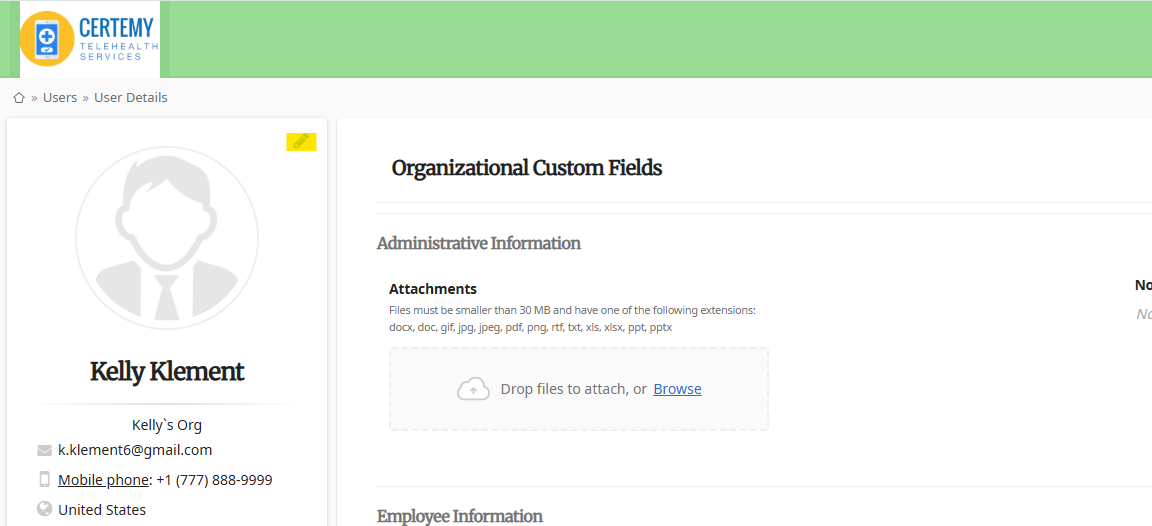
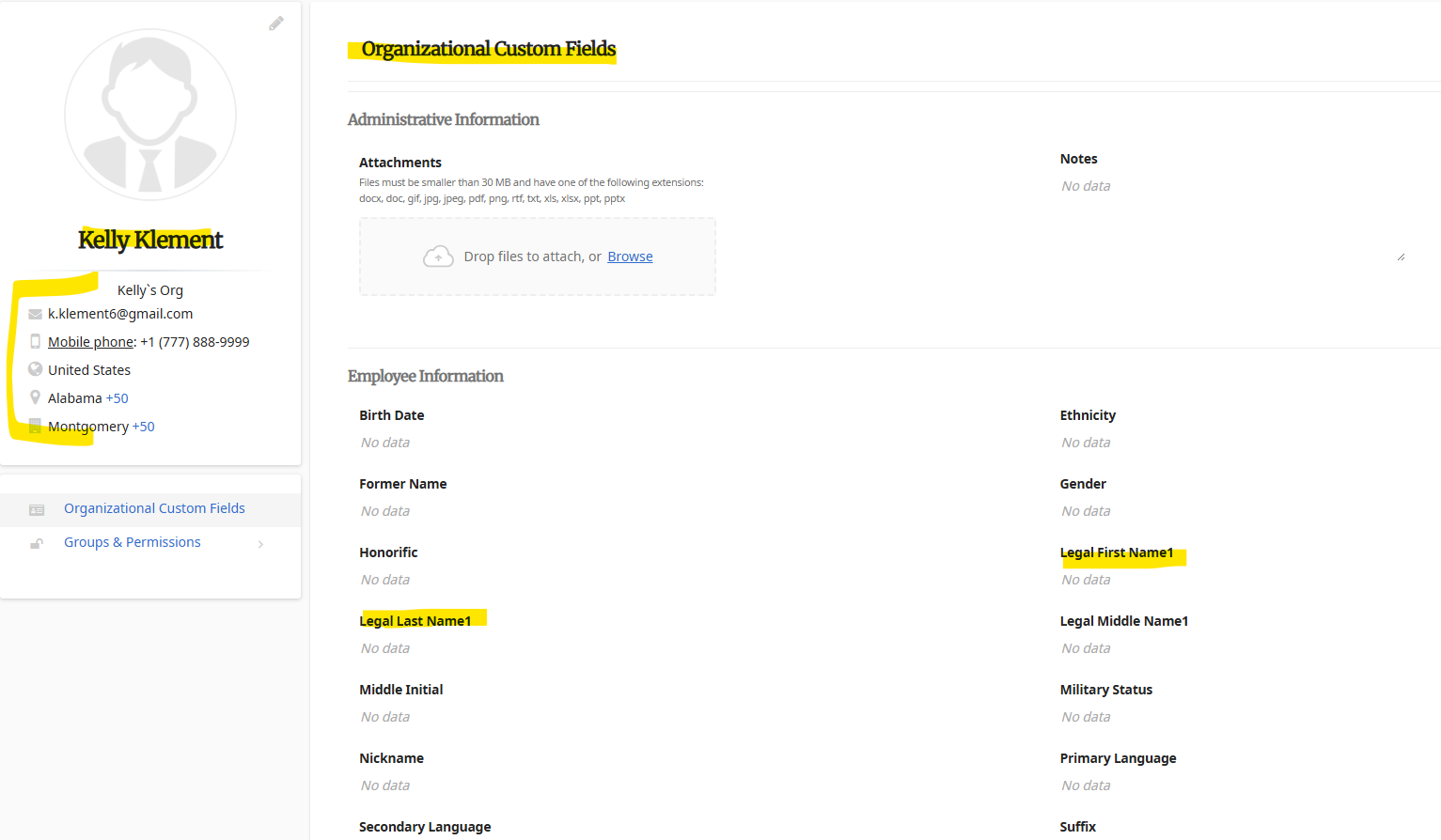
NOTE: Updating user profile DOES NOT update Organizational Custom Fields. This would need to be updated separately.
-
- The Profile fields are related directly to the user profile
- The Organizational Custom Fields relate to workflows/ credentials.