.png?width=1440&height=202&name=Logo_Color%20(1).png)
Adding (Office) Locations
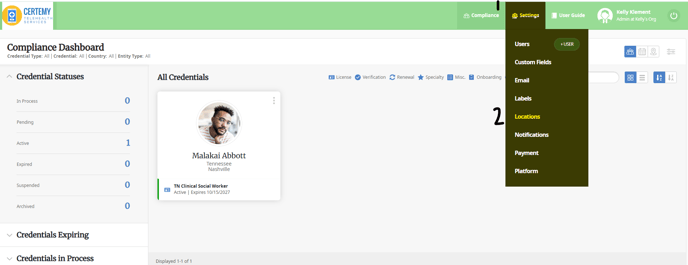
- Navigate to Settings (1) → Locations (2)
- If you already have the Country (1) listed, you do not need to add a new one.
If you are needing to add a new State/ Region, click on Region.
If the State/ Region exists under your Country, click on Add Office.
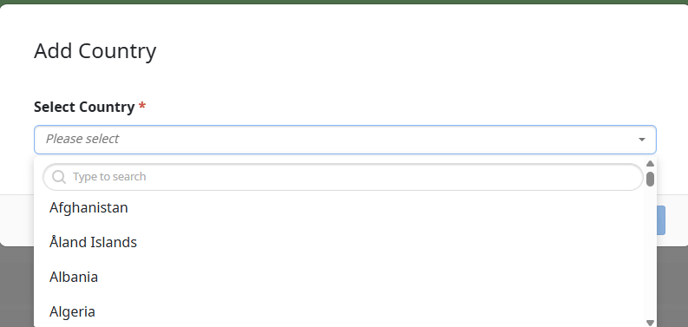
- Add Country (1) → Select Country from dropdown:
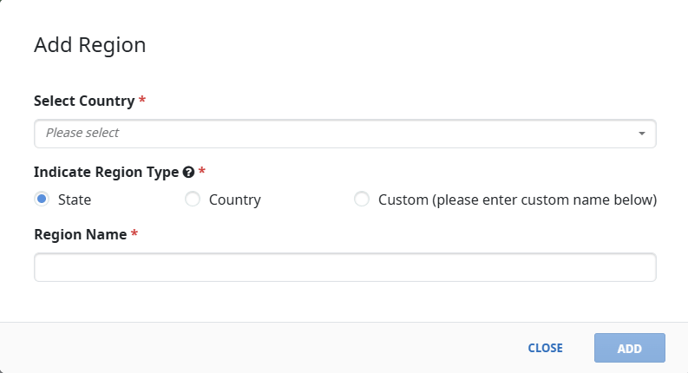
- Add Region (2) → Select Country from dropdown, Indicate Region type (in case you aren’t using this for State).
- Add Office (3) → Fill in the fields that are required “*”